And just like that, Amazon’s trying to erase a decade of careful distinctions. I remember the days, not that long ago actually, when the big sell for S3 was its elegant simplicity: pure object storage, cheap, durable, and utterly incapable of acting like your dusty old hard drive. I spent ages — frankly, far too many hours I’d rather forget — explaining the fundamental chasm between bits you’d toss into a giant, flat digital warehouse versus files you could poke and prod byte by byte. Back then, it was a clear choice. Today? Not so much.
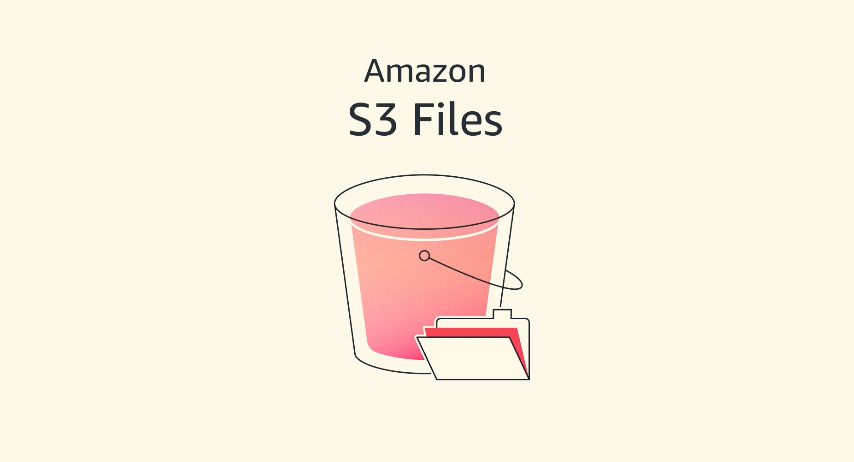
Amazon’s calling this new offering S3 Files. It’s pitched as a way to make your S3 buckets behave like, well, actual file systems. You know, the kind you’re used to on your laptop, where you can hop into a document and tweak a single sentence without replacing the entire thing. Apparently, the “books in a library” versus “files on your computer” analogy I used to labor over is now getting a rewrite. Who’s writing it? The folks who want to sell you more AWS services, naturally.
Is This Actually a Big Deal, Or Just More Glue?
Look, the promise is seductive. They’re saying you can finally have your object storage cake and eat it too, without sacrificing interactive capabilities. It’s supposed to eliminate the trade-off between S3’s legendary cost-effectiveness and durability versus the interactive performance and granular control of traditional file systems. They want S3 to be your data’s central hub, accessible from pretty much any AWS compute flavor you can dream up — EC2 instances, containers, even those little Lambda functions that flit in and out of existence. Sounds nice. Sounds… expensive.
Here’s the pitch: your S3 objects become files and directories. You can create, read, update, delete them using standard NFS v4.1+ operations. It’s meant to feel familiar, like you’re just mounting a network drive. When you work with data, it’ll land on a high-performance storage layer. For files that need speedy access, they’ll be served from this speedy tier. For the rest, it’ll slurp ‘em straight from S3. Intelligent pre-fetching is in there too, because of course it is. Gotta anticipate your needs before you even know them, right?
Under the hood, they’re apparently leaning on Amazon EFS (Elastic File System) to deliver those snappy 1ms latencies. Concurrent access from multiple compute resources is touted, with “NFS close-to-open consistency.” This is apparently for those messy, interactive workloads. Think AI agents collaborating via file-based tools, or ML training pipelines munching through datasets. It’s all about making data sharing across clusters smoothly, without endless duplication. Sounds like a lot of moving parts, a lot of potential points of failure, and a lot of billable hours.
My favorite analogy was comparing S3 objects to books in a library (you can’t edit a page, you need to replace the whole book) versus files on your computer that you can modify page by page. I drew diagrams, created metaphors, and helped customers understand why they needed different storage types for different workloads. Well, today that distinction becomes a bit more flexible.
And the demo? It’s all very slick. Create a file system, discover a mount target (which, by the way, lives in your VPC — so, more networking config), then mount it on an EC2 instance. Standard file commands. Updates to files are reflected in S3. Simple, right? Or is it just a slightly more complicated way to access data that was already accessible, albeit differently?
So, Who’s Actually Making Bank Here?
Let’s cut through the jargon. For twenty years, I’ve seen these grand pronouncements from the cloud giants. They introduce a new service, layer it on top of existing ones, and market it as the ultimate solution. The reality? Often, it’s about nudging customers deeper into their ecosystem, making it harder to leave, and creating new revenue streams from the complexity they introduce. S3 Files feels like another brick in that wall.
If you absolutely need that interactive file system behavior on data stored in S3, and you’re already knee-deep in AWS, then sure, this might simplify things. It’s certainly more elegant than strapping on some third-party gateway or building custom solutions to bridge the object-to-file gap. But for many, the original distinction was a feature, not a bug. It enforced discipline in how data was handled. It kept costs predictable.
This move feels like it’s designed for a specific set of use cases – probably those high-margin AI/ML workloads where performance and flexibility trump raw cost, and where AWS can justify charging a premium for the convenience. For the rest of us, the vast majority of data that’s perfectly happy being served as objects, this might just be… noise. More complexity, more potential for misconfiguration, and more money flowing into Amazon’s already overflowing coffers. They’re selling flexibility, but they’re selling it on top of their existing storage, which means they’re selling access, and access, as we all know, is where the real money is made.
Is it a bad thing? Not entirely. Innovation is good. But let’s not pretend this is some altruistic move to democratize storage access. It’s smart business for Amazon. The question for developers and IT managers is whether it’s smart business for you.
🧬 Related Insights
- Read more: Valicore: Zero-Dep Runtime Validation That Actually Sticks for TypeScript Teams
- Read more: GitHub’s Final 1%: The Release Checklist That Saves Projects
Frequently Asked Questions
What does Amazon S3 Files do? Amazon S3 Files makes your Amazon S3 buckets accessible as if they were traditional file systems, allowing you to use standard file operations on your object data with low latency. It bridges the gap between object storage and file system access.
Will this replace traditional file systems? Not necessarily. It offers file system access to data in S3. For workloads that heavily rely on local disk performance or specific file system features not well-suited to object storage translation, traditional file systems will likely remain the preferred choice.
Is this the same as Amazon EFS? S3 Files uses Amazon EFS under the hood to provide high-performance file system access to S3 data. However, S3 Files is specifically designed to present S3 buckets as file systems, whereas EFS is a general-purpose managed file storage service for AWS cloud.