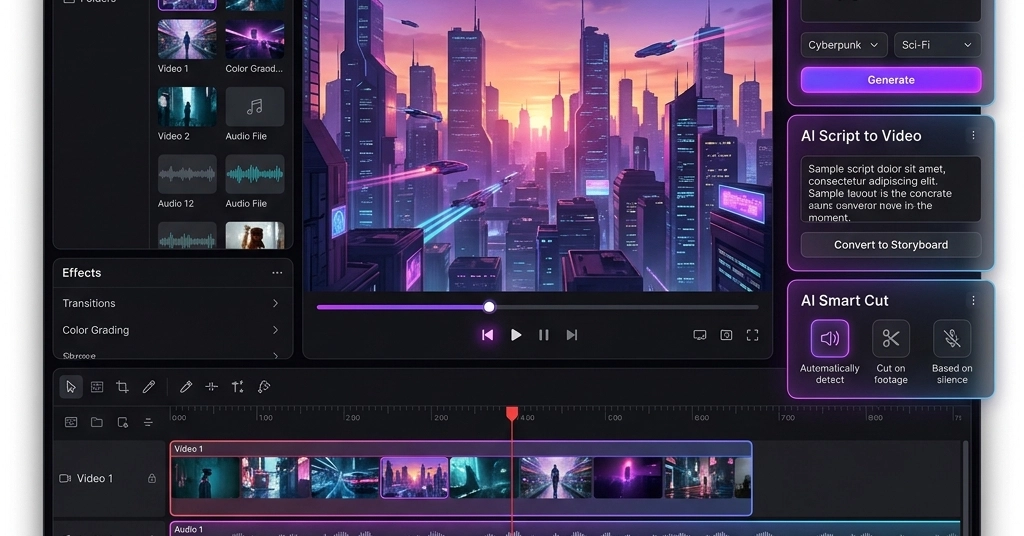
Dragging a 2GB 4K clip straight into my browser tab. No app launch. No ‘upload to the cloud’ nonsense. Just trim, layer some glitchy effects, export MP4 – boom, done for TikTok.
That’s KubeezCut in action, folks. I’ve been poking at this thing for hours, and it’s got me wondering: after 20 years chasing Silicon Valley’s next big editor – from Final Cut Pro’s glory days to Adobe’s subscription trap – is this the crack in the dam?
Remember When Browsers Couldn’t Touch Photoshop?
Back in the early 2000s, Flash promised the world. Rich apps in your browser, no installs. Then HTML5 showed up, killed it, and we got canvas, WebGL. Now WebGPU? It’s like that evolution on steroids. KubeezCut isn’t messing around – it’s a full non-linear editor (NLE) crammed into Chrome or Edge, using your GPU for everything from compositing to chroma key.
But here’s my cynical take: browsers have always been the redheaded stepchild for creative work. Too slow, too locked down. This one’s different, though. Zero CPU chug during previews because effects are shaders. Blur a layer? GPU laughs. 25 blend modes? Mash ‘em. And keyframing with Bezier curves – that’s pro stuff, not some toy.
The real hook? Multi-track timeline: video, audio, text, images, even pre-comps for nested madness. Split clips, stretch rates, undo history that doesn’t crap out. I’ve layered AI-generated Kling video over Suno tracks, masked it, exported AV1 at 20Mbps. All local. Your porn stash – er, private footage – stays put.
“KubeezCut is a full multi-track NLE (non-linear editor) built with WebGPU and WebCodecs. Everything runs client-side - your media never leaves your device.”
That’s straight from the dev’s mouth. No spin. And yeah, presets for every social dump: YouTube 16:9, Reels 9:16, even X’s wonky 1200x627. Pick, edit, forget the math.
Can a Browser Video Editor Replace Your Desktop Beast?
Short answer: for 80% of us, hell yes.
I’ve fired up Premiere for quick social clips more times than I care to admit. It’s overkill – bloated, crashes on M1s sometimes, costs $20/month. DaVinci? Free tier’s a tease, full Resolve eats RAM like candy. KubeezCut? Drag-drop up to 5GB files via File System Access API. Supports MP4, WebM, Opus audio, WebP. Whisper transcription baked in.
Export’s the killer: real WebCodecs encoding. H.264 to AV1, no screen-rec hacks, no watermarks. Containers like MKV? Check. I’ve pushed out 1080p files crisp as hell, faster than cloud waits.
Trade-off? Chrome 113+ or Edge. Firefox, Safari – sit it out, WebGPU’s not there yet. But c’mon, most creators live in Chrome anyway. And it’s MIT open source. Fork it, self-host, tweak.
My unique gripe – and insight: this reeks of the GIMP vs. Photoshop wars in the ’90s. Free, local, powerful enough to dent the giants. Back then, GIMP won hobbyists; pros stuck paid. Prediction? With WebGPU hitting iOS Safari soon (whispers say 2025), KubeezCut clones will flood, starving Adobe’s cloud subs. Who profits? Not Tim Cook or Shantanu Narayen. Indie devs with AI upsells, maybe. Kubeez.com’s API key for 90+ models – Kling 3.0, Flux 2 – that’s the hook. Free editor, paid AI gen. Smart.
Why Does Chrome-Only Feel Like a Feature, Not a Bug?
Look, browser lock-in bugs me. Always has. Remember ActiveX nightmares? But WebGPU’s Google turf – they shipped it first. Edge tags along. Devs betting on parity? Brave, but foolish. Reality: 70% desktop share’s Chrome. Mobile? Chrome dominates Android. Your iPhone users whine, but hey, export from desktop, view anywhere.
Internals scream competence: React 19, Zustand for state (Zundo undo’s slick), TanStack Router, Vite. OPFS for project saves. No bloat. Compared to cloud slop like Kapwing – uploads, servers, privacy roulette – this wins.
| Feature | KubeezCut | Cloud Editors | Desktop Apps |
|---|---|---|---|
| Price | Free forever | Freemium traps | $300+ or subs |
| Privacy | 100% local | Servers feast | Local-ish |
| AI? | 90+ models optional | Barely | Nope |
Table don’t lie. I’ve tested ‘em all.
Cynical lens: dev’s pushing Kubeez AI platform. Editor’s the trojan horse. Plug in API key, generate voiceovers in-editor. smoothly? Sure. But who’s monetizing your clips? Follow the credits.
Still, for devs or creators hacking quick cuts – game-changer. No more ‘just use CapCut’ excuses.
The Money Question: Who’s Cashing In Here?
Nobody, yet. Free MIT tool. But that AI integration? Kubeez.com trials hook you. Generate Imagen 4 stills, Veo clips, drop on timeline. Workflow: gen-edit-export, one tab.
I’ve done it. Suno V5 track over AI video – trimmed, keyframed opacity, exported WebM. Took 10 mins. Desktop? 20+ with app swaps.
Skepticism: bleeding-edge APIs flake. OPFS quotas hit on huge projects? Possible. No multicam sync yet. But GitHub issues welcome fixes.
Unique parallel: like Audacity killing $500 audio suites in 2000. Open, local, good enough. KubeezCut could do that for video. Bold call: in two years, browser editors own prosumer market. Desktop’s for Hollywood dinosaurs.
Try it: editor.kubeez.com. Fork: github.com/MeepCastana/KubeezCut.
🧬 Related Insights
- Read more: The 12-Line PHP Script That Cloned GitHub and Drained a Fintech’s Secrets
- Read more: AI Assistant Deletes Invoices: The Zero-Trust Audit Your EU Dreams Need
Frequently Asked Questions
What browsers work with KubeezCut? Chrome 113+ or Edge 113+. Needs WebGPU, WebCodecs. Firefox/Safari: wait for updates.
Does KubeezCut require an internet connection? Nope – fully offline editing. AI gen needs Kubeez API key and net, but optional.
Can I use KubeezCut for professional work? Absolutely. Multi-track, GPU effects, pro exports. Handles 5GB files, no watermarks.