The hiss of a cooling fan in a server room, the sterile glow of monitors reflecting a developer’s tired eyes—these are the backdrops against which tools that genuinely smooth out workflows shine. DeepSeek, a powerful AI model, is seeing significant adoption for coding, research, and writing. Yet, the friction point for many users remains the often-clunky process of exporting these AI-generated dialogues. Copy-pasting conversations typically mangles critical elements: code blocks fracture, tables disintegrate, and markdown structures collapse into an unreadable mess. It’s a task that eats into valuable time, time better spent building or analyzing.
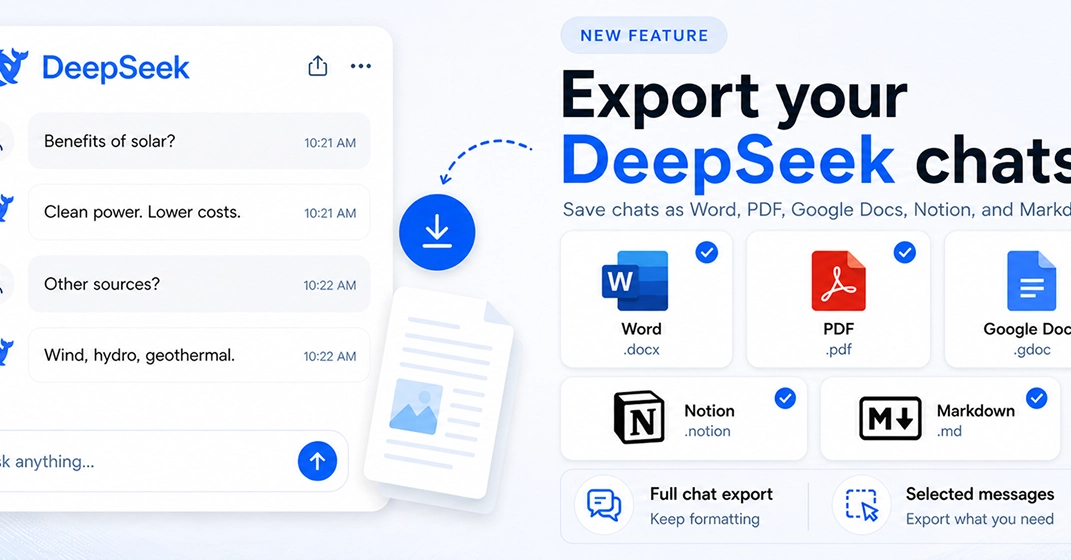
This persistent problem has spurred the creation of DeepSeek Exporter, a new Chrome extension designed to streamline the process. The pitch? Export your DeepSeek chats to Word (.docx), PDF, Google Docs, Markdown (.md), and even directly into Notion, all with a single click. This isn’t just about convenience; it’s about reclaiming lost productivity and ensuring the integrity of the information you’re capturing.
What Features Does DeepSeek Exporter Offer?
The extension’s core value proposition lies in its flexibility and fidelity. Users aren’t just getting a blunt export tool; they can choose to export entire conversations, specific messages, or even isolate just the prompts or AI responses. This granular control is a significant upgrade from a simple copy-paste function.
Crucially, the developer’s focus on preserving formatting—especially markdown elements like code blocks, tables, headings, and lists—addresses the primary pain point. For those utilizing tools like Obsidian, GitHub READMEs, MkDocs, Logseq, or directly integrating with Notion databases for knowledge management, research logs, or AI archives, this level of detail is paramount. The ability to push conversations directly into a Notion database, for instance, offers a powerful way to build structured repositories of AI-generated insights without the usual data wrangling.
Customization is another key feature. Before exporting, users can tweak fonts, heading sizes, colors, and alignment. This allows for a degree of brand consistency or personal preference in the final output, transforming raw AI chat logs into polished documents or integrated knowledge base entries.
The Developer’s Dilemma and The Market’s Opportunity
Building tools to solve personal workflow friction isn’t new, but the execution here appears thoughtful. The developer highlights the challenges faced: preserving markdown formatting accurately, ensuring consistent table conversion, handling nested code blocks, and maintaining clean exports across disparate formats like PDF and Word. These aren’t trivial engineering feats; they speak to a deep understanding of the data structures involved and the inherent messiness of web content rendering.
Why build this? The explicit reason given is a desire for a faster, cleaner workflow for saving AI conversations, bypassing the manual cleanup that has become the de facto standard. The call for feedback from developers, writers, and heavy AI users suggests an understanding that the tool’s utility is directly tied to its adoption by power users who feel the pain most acutely.
What’s particularly interesting here is the market positioning. While many AI platforms offer some form of export, they often fall short on preserving structured data, especially code and complex formatting. This gap creates a clear opportunity for specialized tools. The demand for strong AI integration into existing developer and knowledge-worker toolchains is only going to intensify. Extensions like DeepSeek Exporter are, in essence, building bridges between nascent AI capabilities and established, highly functional workflows.
Is This Just Another Chrome Extension Hype?
The market is saturated with Chrome extensions promising to boost productivity. So, does DeepSeek Exporter offer a genuine step forward or is it just more digital clutter? The value here hinges on its ability to consistently deliver on its promise. If the exports are indeed clean, if code blocks render correctly every time, and if tables remain intact, then this extension moves beyond a novelty to become an indispensable utility for a specific, albeit large, segment of AI users. The integration with Notion, in particular, taps into a growing trend of using AI to augment personal knowledge management systems.
The true test will be in its long-term reliability and the developer’s responsiveness to user feedback regarding additional export formats or integrations. For now, the promise of one-click, perfectly formatted AI chat exports is a compelling one that addresses a very real, very frustrating problem.
🧬 Related Insights
- Read more: The Website That Throws a Party to Make You Leave: Inside ‘Please. I’m Begging You. Close The Tab’
- Read more: Open Source Vulnerabilities Plateau in 2025: New Threats Surge Despite Fewer Alerts
Frequently Asked Questions
What does DeepSeek Exporter actually do? DeepSeek Exporter is a Chrome extension that allows users to export their conversations from DeepSeek AI into various formats like Word, PDF, Google Docs, Markdown, and Notion with a single click, preserving important formatting.
Will this extension replace my job? No, this extension is a tool designed to enhance productivity by simplifying the process of saving and organizing AI-generated content. It automines the manual effort involved in exporting and formatting chat logs.
What formats can I export to? You can export to Word (.docx), PDF, Google Docs, Markdown (.md), and directly into Notion databases.