Look, we all expected AI tools to, you know, be intelligent. What we didn’t necessarily anticipate was the sheer, mind-numbing administrative overhead that comes with using them across multiple identities. For anyone juggling work and personal Claude.ai accounts, or developers managing distinct dev environments, the simple act of switching between them has been an exercise in futility. Until now.
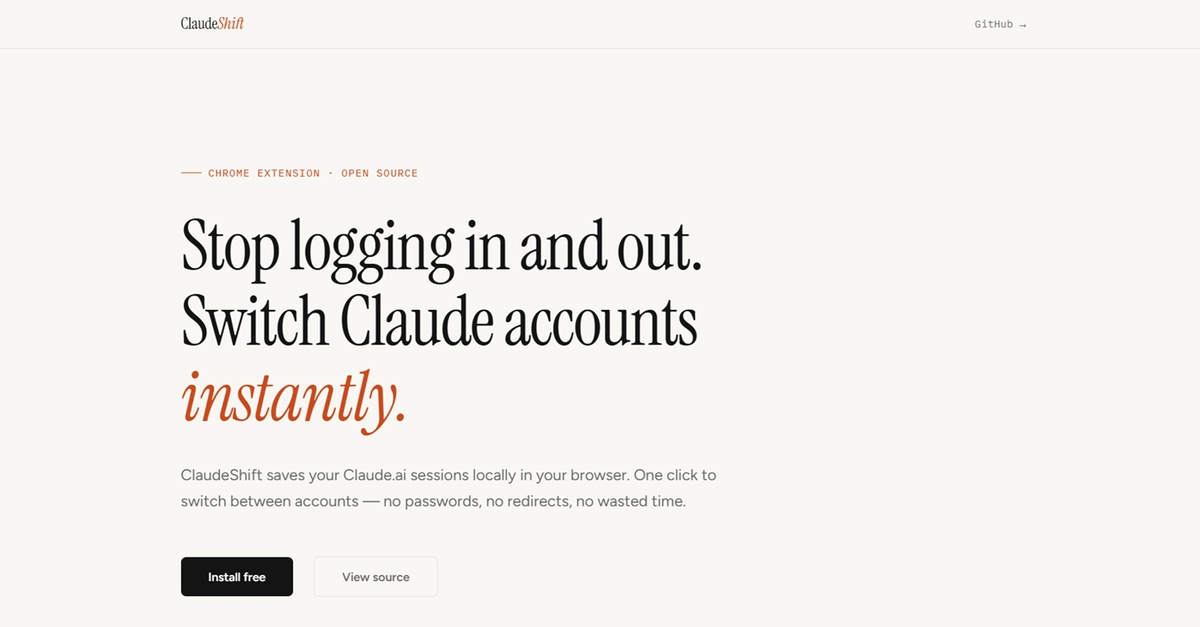
ClaudeShift, a new Chrome extension, promises to vaporize that frustration with a single click. And frankly, given the sheer volume of time I’ve personally lost to login screens over the years, I’m cautiously optimistic. This isn’t some grand AI paradigm shift; it’s a pragmatic fix for a genuinely annoying problem.
The Daily Grind of the Multi-Account User
Anyone who relies on Claude.ai for more than just a fleeting query knows the drill. You’re deep in research for a project, need to pivot to your personal sandbox, and suddenly you’re staring at a logout screen. Then comes the tedious dance: enter email, enter password, wait for the redirect, wait for the page to load, finally back where you wanted to be. Multiply that by ten, twenty times a day, and suddenly a significant chunk of your precious work week has evaporated into the digital ether. It’s the kind of inefficiency that makes you question the very premise of ‘productivity tools.’
The Elegant (and Simple) Solution
The genius here, as often is the case, lies in its simplicity. Claude.ai, like most web services, uses session cookies to keep you authenticated. The core idea behind ClaudeShift is elegantly straightforward: save those cookies for each account, and swap them out on demand. No complicated re-authentication, just a quick cookie swap and a tab refresh.
ClaudeShift is a Chrome extension built with Manifest V3 and plain JavaScript — no frameworks, no build step.
This approach is refreshing. In a world obsessed with massive build pipelines and endless dependencies, ClaudeShift is a breath of fresh air. It’s built with the bare essentials: Vanilla JavaScript, the Chrome Cookies API to snag and deposit those precious session tokens, and chrome.storage.local to keep them safe and sound. Importantly, it stresses that nothing leaves your browser. Privacy is paramount when dealing with session data, and the extension seems to nail that requirement out of the gate.
Navigating the Chrome Extension Minefield
It’s not all sunshine and instant logins, though. The developer, Sreyas, wisely details the headaches involved in building even something this seemingly straightforward. Manifest V3, the latest iteration of Chrome’s extension platform, introduced service workers that sleep when idle. This means any state held in memory evaporates, forcing a move to persistent storage. So, state had to be meticulously managed in chrome.storage.local, and re-fetched every time the service worker decided to wake up.
And then there are the cookies themselves. Domain attributes, path attributes, sameSite settings – they’re not just decorative. A single misplaced attribute, as Sreyas discovered the hard way, can render a saved session utterly useless, leading to silent logouts and hours of debugging. It’s a stark reminder that even the most strong web apps operate on a foundation of granular, often finicky, details.
Why This Matters: Beyond the Claude.ai Bubble
While ClaudeShift specifically targets Claude.ai, its implications ripple outwards. This isn’t just about a single AI chat bot. Think about developers managing multiple GitHub accounts, designers toggling between client projects on Figma, or anyone who needs to maintain distinct online identities for different facets of their digital life. The pain of account switching is ubiquitous.
What ClaudeShift highlights is the gap in native browser functionality for managing these increasingly complex digital workflows. We’re living in an era where our online personas are fractured across a dozen services, and the tools to manage that fragmentation are still nascent. This extension, while small, points to a future where browser extensions become more sophisticated identity and workflow managers, rather than just ad-blockers and theme-changers.
It also begs the question: who should be building these tools? Is it up to individual developers to patch the holes left by major platforms, or is there an opportunity for browser vendors or even AI providers themselves to offer more streamlined session management? Right now, it feels like a Wild West, with individual creators like Sreyas stepping in to fill the void.
The Open Source Imperative
Crucially, ClaudeShift is free and open source. This isn’t some commercial venture looking to gouge users for a convenience feature. The code is available on GitHub, inviting scrutiny, contributions, and — perhaps most importantly — trust. In a space where session data is king, transparency is the only currency that matters.
My two cents? The developer’s advice to “Start with the edge cases” and “Test with real accounts from day one” is gold. Too many side projects, and frankly, too many commercial products, fall into the trap of building the happy path and leaving the messiness for later. The fact that Sreyas encountered issues with cookie serialization and the nuances of Manifest V3, and then documented them, is the kind of grit that breeds real user loyalty.
🧬 Related Insights
- Read more: React 19’s useActionState: The Hook That Makes Forms Finally Fun
- Read more: Kubernetes API Governance: The Gatekeeper Devs Can’t Ignore
Frequently Asked Questions
What does ClaudeShift actually do?
ClaudeShift is a Chrome extension that allows users to save and instantly switch between different Claude.ai login sessions without needing to log out and back in each time.
Will this extension work for other websites?
ClaudeShift is specifically designed for Claude.ai and use its unique cookie structure. It will not work for other websites.
Is ClaudeShift safe to use with my accounts?
Yes, ClaudeShift stores all session data locally within your browser using Chrome’s secure storage API. No information leaves your browser. The extension is also open-source for transparency.