Are you still parsing HTML for web scraping? Bless your heart. Seriously, have we learned nothing? It’s 2024. Or is it 2025? Does it even matter? Because the core problem remains the same: too many developers are still using the digital equivalent of a butter knife to carve a steak.
Look, I get it. Requests and BeautifulSoup. The old faithfuls. The reliable workhorses. They’re simple. They’re fast. They don’t cost a fortune in cloud compute. For some sites, they’re still perfectly adequate. If your target is a static blog, a basic directory, or a documentation page that hasn’t been touched since dial-up was cool, then sure, knock yourself out. Grab that HTML, parse it, and call it a day. It’s a workflow that goes: Request page → receive HTML → parse data. Easy peasy.
But let’s not pretend this is a universal truth. This isn’t the digital Wild West anymore. Websites are smarter. They’re slicker. They’re actively trying to not be scraped by your rudimentary Python script. And when they detect your little Requests-and-BeautifulSoup setup, they laugh. Or, more likely, they just block you. Silently. Efficiently. Leaving you staring at incomplete data. Or worse, nothing at all.
When Does the Old Guard Fail?
Here’s the thing. These lightweight tools stumble when the target does anything remotely sophisticated. Think JavaScript rendering. Think anti-bot systems that can sniff out a fake browser faster than you can say ‘user agent spoofing.’ Think TLS fingerprinting, HTTP/2 behavior checks, or anything that requires you to actually act like a browser, not just a dumb pipe.
Requests and BeautifulSoup often fail when the target evaluates behavior beyond basic HTTP requests.
Modern websites are less about static HTML and more about dynamic APIs. Data loads not from the initial HTML dump, but from XHR requests, fetch calls, and complex JavaScript pipelines. You’re asking for the soup when all the good stuff is in the separate bowl of JSON that arrived three seconds later. It’s like trying to read a newspaper by just looking at the paper itself, ignoring all the tiny print articles that actually contain the information.
The API Advantage
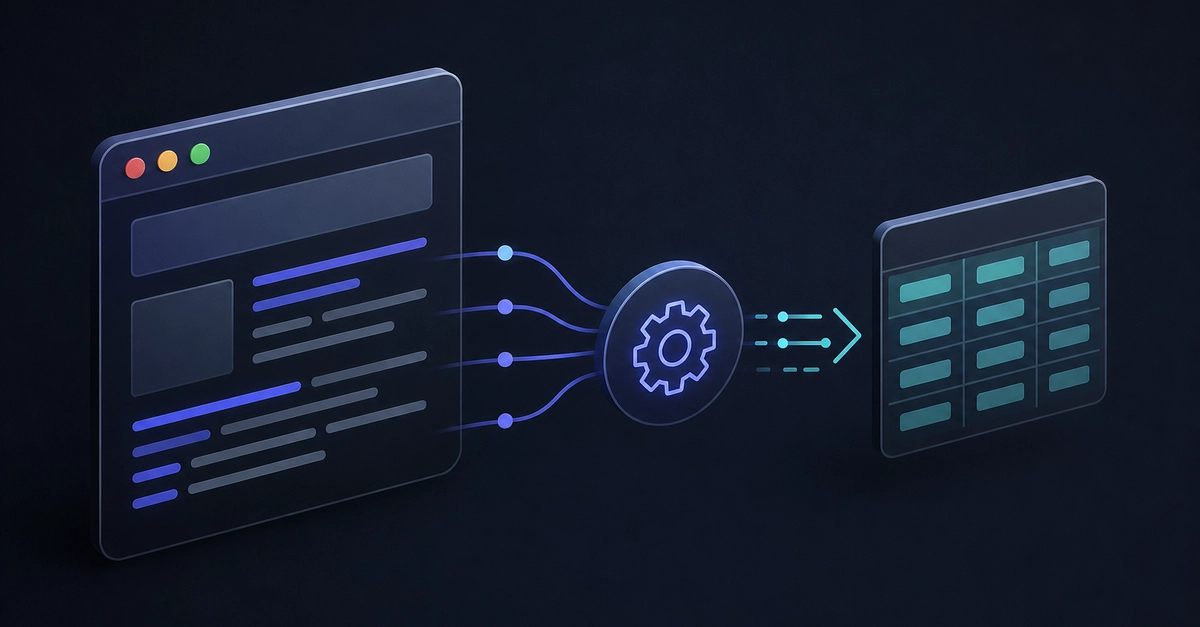
So, what’s the alternative? Stop parsing HTML. Seriously. Start inspecting network requests. Find the API endpoints. Extract the structured JSON directly. This workflow — Browser → API request → JSON response — is almost always faster, cleaner, easier to maintain, and far less resource-intensive. It’s the sophisticated approach for a sophisticated web. It’s no wonder many of these modern scraping guides now focus on HTTP/2 header ordering and browser-like request behavior, because the protocol itself, not just the content, is a battleground.
And yes, even with APIs, you might hit walls. Proxies are a thing. Services like Bright Data, Oxylabs, and Squid Proxies can help distribute requests and avoid rate limiting. For Requests and BeautifulSoup, integrating proxies is usually a cakewalk. But don’t think a proxy is a magic bullet. Reliability still hinges on how your requests behave over time. Consistent timing, session handling, and realistic patterns matter more than just swapping IPs.
So, When Should You Upgrade?
You should absolutely consider more advanced tooling when:
- JavaScript rendering is non-negotiable.
- You need to mimic actual browser behavior.
- TLS fingerprinting and HTTP/2 consistency are being checked.
- Direct interaction (clicks, form submissions) is required.
- You’re facing significant, persistent blocking.
At that point, tools like curl_cffi (which can mimic browser headers and HTTP/2 behavior surprisingly well) or full-blown browser automation frameworks like Playwright come into play. The goal isn’t to use the most complex tool available. It’s to use the lightest system that actually works for your specific target.
Common Failure Patterns Explained
Pattern 1: HTML Loads, Data Is Missing. This is your classic JavaScript rendering problem. The skeleton is there, but the flesh and blood data? Not so much. It’s off getting rendered somewhere else.
Pattern 2: Works Locally, Fails in Production. Ah, the production dread. What works on your development machine often breaks at scale. Why? Because your local setup is usually a single IP, a predictable network, and a lack of sophisticated detection. In production, you’re a blip on their radar, and the behavioral inconsistencies become glaringly obvious.
Pattern 3: Random Blocking. You get a few requests in, then bam. Blocked. Then a few more, then bam again. These random patterns often stem from how lightweight HTTP clients behave compared to actual browsers. Subtle timing differences, connection resets, or basic header anomalies can be enough to trigger their defenses.
It’s a constant game of cat and mouse. And frankly, clinging to Requests and BeautifulSoup when a site is actively fighting back is like bringing a dull spoon to a gunfight. Sometimes, simple works. But more often than not these days, ‘simple’ is just another word for ‘ineffective’ when you’re trying to get data off the modern web.
🧬 Related Insights
- Read more: GitHub Copilot CLI Builds Roguelikes from Your Codebase
- Read more: Apache Geode 2.0: Java 17 & Jakarta EE 10 Shakeup
Frequently Asked Questions
What’s the main advantage of Requests and BeautifulSoup?
Their primary advantages are speed, simplicity, and low infrastructure cost, making them ideal for targets that deliver accessible HTML without requiring JavaScript rendering or advanced browser behavior.
When do Requests and BeautifulSoup typically fail?
They fail on JavaScript-heavy websites, against aggressive anti-bot systems, when TLS fingerprinting or strict HTTP/2 behavior checks are in place, or when any form of interaction beyond a basic HTTP request is necessary.
What’s a better approach for modern websites?
For many modern websites, inspecting network requests to identify API endpoints and extracting structured JSON directly is a faster, cleaner, and more resource-efficient alternative to parsing HTML.