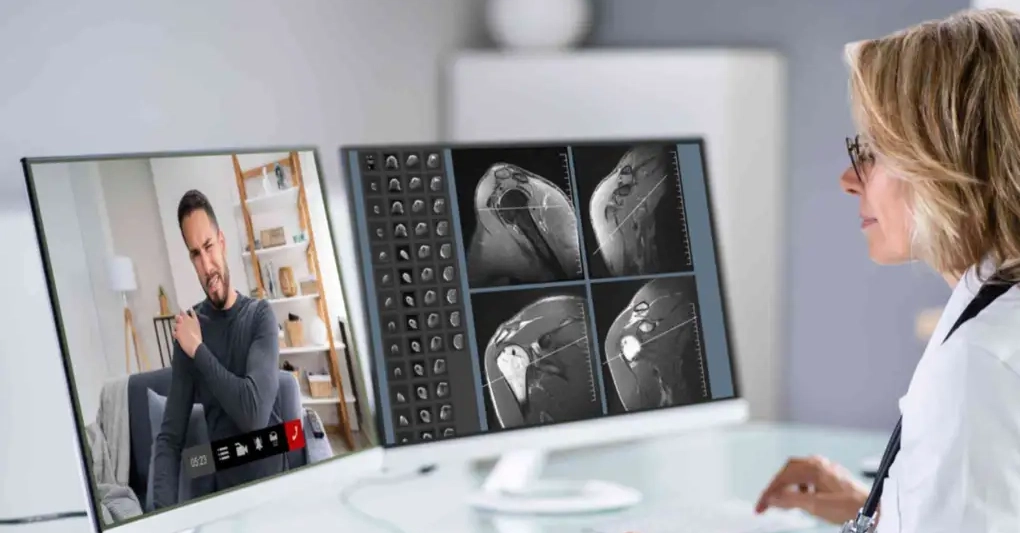
Is telemedicine in Venezuela still science fiction? Not quite. But if you’re a clinic expecting Silicon Valley polish, you’re about to get a harsh lesson.
We’re talking about actual, operational telemedicine. Handling follow-ups. Reaching patients miles away. Smoothing out a system choked by distance, time, and, well, spotty internet. A patient in Barinas needing a Caracas specialist? That’s not a video call; it’s a logistical nightmare. Yet, a 20-minute symptom check could solve half of these. If the clinic’s equipped. And by ‘equipped,’ I don’t mean having the latest MacBook.
The problem? Most software assumes stable connections, juice-box batteries, and patients who can navigate an app store blindfolded. Venezuela? Not so much. This isn’t about fancy features; it’s about what actually works.
What a Clinic Actually Needs
Forget the sales pitches. Three things decide if your telemedicine setup sinks or swims. Connectivity. Continuity. And integration with your existing records. Nail these, or watch your investment gather dust.
Minimum Bandwidth by Consultation Type
Venezuela’s internet is better. Ish. But don’t design for the peak hour. Design for the Tuesday afternoon lull. Or worse.
The practical recommendation: aim for SD video. And if the network hiccups, it better just drop to audio. Or text. A platform demanding HD will cause more headaches than it cures. Simple.
Power and Continuity
Power outages. They’re not just annoying; they kill consultations. Doctors redo paperwork. Patients bail. Any clinic rolling out telemedicine needs UPS backup for key machines. Contingency plans. And software that can pick up where it left off. No lost data. No angry patients. Just a smooth flow.
Patient Devices
Everyone’s got a smartphone. Great. But they’re a mixed bag. Different models. Different OS versions. Different levels of tech savviness. Don’t bet on everyone having the latest. Or even knowing what an ‘app’ is.
Browser-based is the safest bet. No downloads. No logins. Just a link. Anything more complicated, and adoption plummets. Fast.
Platforms That Actually Work
There’s no magic bullet. The best choice? It depends. Consultation type. Clinic tech skills. EHR integration needs. It’s a juggling act.
WhatsApp Business as an Operational Layer
This is your low-friction front line. Appointment confirmations. Reminders. Initial triage. Post-call follow-up. It’s not for video chats. It’s for making sure people show up. And that they’re happy.
Its strength? Everyone already uses it. No learning curve. That matters. A lot.
In clinics that automate reminders, no-show rates typically drop significantly — literature on appointment automation reports reductions of 35–40%, and in some environments up to 40–50%.
Self-Hosted Jitsi Meet
For control freaks with a server. Self-hosting means no vendor lock-in. Full data ownership. And configuration freedom. Jitsi’s not perfect. But it’s flexible. It’s the backbone for an in-house strategy. If you’ve got some IT chops.
Doxy.me
Patient simplicity is the game here. Virtual waiting rooms. Link-based access. It’s perfect for follow-ups. Or for patients less comfortable with tech. Its main drawback? Data governance. And reliance on external infrastructure. Works for some. Not for others.
What NOT to Use — and Why
Zoom. Teams. Great for business calls. Terrible for Venezuelan telemedicine. They’re bloated. Clunky. And add unnecessary steps for patients. The sales demos won’t tell you that.
And privacy? A huge issue that gets glossed over. Ha