And then it was done. Five commands. That’s it. No more hours staring at a blank screen, meticulously crafting the same old directories and files for data, domain, and presentation layers, praying you haven’t missed a crucial import or set up your state management in a way that will haunt you six months down the line. This isn’t just a tool; it’s a time machine, zapping you past the drudgery and straight into the exciting part: building features that actually do something.
For years, Flutter developers have been locked in this ritual. It’s like being a master chef who has to spend an hour chopping onions for every single dish. You can do it, and you’ve gotten pretty darn good at it, but part of you screams, ‘There has to be a better way!’ Well, enter SM CLI. This isn’t just another code generator; it’s a declaration of independence from repetitive setup tasks.
Is This Just More Boilerplate in Disguise?
Look, we’ve all been burned by tools that promise the moon and deliver… well, more code to manage. But here’s the thing that makes SM CLI feel different: it’s built on the back of a seasoned developer’s pain. Sunny, the creator, has spent over five years in the Flutter trenches, and you can feel that hard-won wisdom baked into every command. It’s not just spitting out files; it’s thoughtfully orchestrating a production-ready architecture with support for Riverpod, Bloc, and GetX. Plus, GoRouter auto-setup and a Dio API layer with interceptors? That’s not just convenience; that’s setting you up for scalable, maintainable applications from the jump.
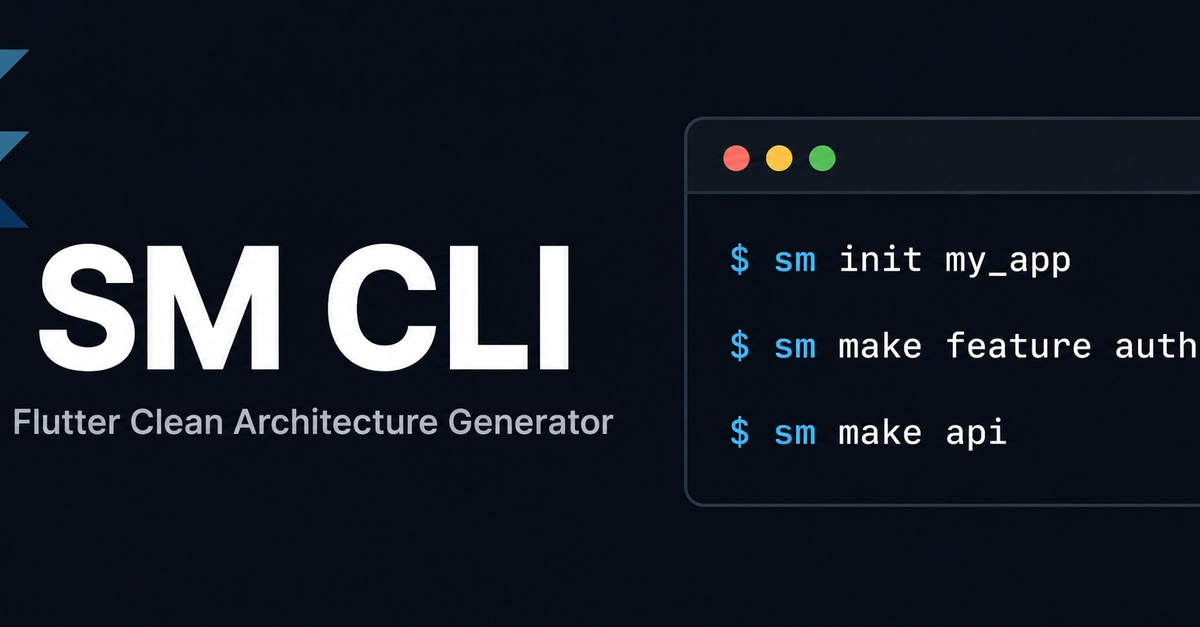
Imagine this: you’ve just landed a new gig, or you’re bootstrapping a passion project. Instead of the usual 30-60 minutes of setting up your project structure, you’re typing:
dart pub global activate sm_cli
Then, the magic:
sm init my_app
cd my_app
sm make feature auth
sm make api
flutter run
That’s it. Your entire project, armed with Clean Architecture, state management of your choice, routing, and a solid API layer, is ready to go. It’s like the difference between building a Lego spaceship brick by brick versus getting a pre-assembled, high-fidelity model that you can immediately take for a joyride.
The real revelation here isn’t just the speed, though that’s undeniably thrilling. It’s the solidification of best practices into an executable. Clean Architecture, often discussed in hushed, reverent tones, becomes a tangible, accessible reality for developers of all levels. This democratizes strong software design.
Why Does This Matter for Developers?
This isn’t about making coding easier in the sense of dumbing it down. It’s about elevating it. By abstracting away the tedium, SM CLI frees up mental bandwidth. Developers can now focus on the complex problem-solving, the nuanced UI/UX decisions, and the creative spark that truly differentiates a good app from a forgettable one. Think about it: instead of agonizing over directory names, you’re thinking about user flows, data synchronization, or perhaps that killer animation that will make your app sing.
This is AI-level thinking applied to development workflows. It’s not replacing developers; it’s augmenting them, providing a powerful co-pilot that handles the repetitive navigation so you can focus on the destination. The prompt from Sunny, asking for feedback, is the hallmark of a truly engaged creator. This isn’t a ‘release and forget’ mentality; it’s a ‘build with the community’ ethos, which is exactly what we need to see more of in the open-source space.
Clean Architecture (Data, Domain, Presentation) Riverpod, Bloc, GetX, Provider support GoRouter auto setup Dio API layer with interceptors Auto route generation
Five commands that represent potentially dozens of hours saved, not just for one project, but across a career. It’s the difference between spending your days as an architect meticulously laying bricks, or as a visionary, sketching out grand designs while your highly efficient construction crew brings them to life with pre-fabricated, expertly crafted modules.
Is it perfect? Probably not yet. Every tool evolves. But the direction is clear: toward more intelligent, more automated, and ultimately, more human-centered development. This is the future, unfolding one CLI command at a time.
🧬 Related Insights
- Read more: RPM Apps: Billing or Bust? [2026 CPT Codes Shift Landscape]
- Read more: ESP32-C5 Arrives: Wi-Fi 6 for Your Smart Home
Frequently Asked Questions
What does SM CLI actually do? SM CLI is a command-line tool that automates the setup of new Flutter projects, generating a Clean Architecture structure with support for various state management solutions (Riverpod, Bloc, GetX, Provider), routing, and API layers. It aims to reduce boilerplate and speed up project initialization.
Will this replace my job? No, tools like SM CLI are designed to augment developers, not replace them. By automating repetitive setup tasks, it frees up developers to focus on more complex problem-solving, creativity, and core application logic.
Is it easy to use for beginners? The CLI commands are designed to be straightforward, making it accessible. While understanding Clean Architecture concepts themselves requires learning, the tool significantly simplifies the implementation of that architecture, which can be a hurdle for newcomers.