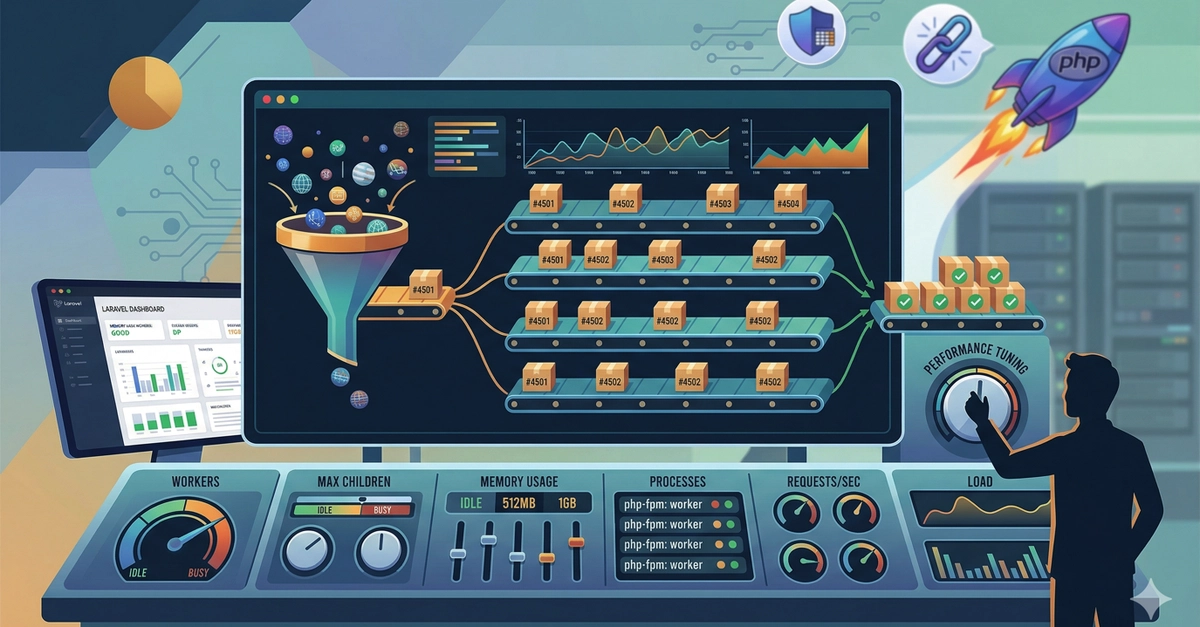
Your site’s choking under load, users bouncing before the page even renders. That’s not your Laravel code’s fault—it’s PHP-FPM’s default settings, choking on every request like a bad traffic jam.
Tuning PHP-FPM for Laravel changes that. Overnight.
Here’s the thing: every Nginx request funnels through PHP-FPM workers, those lonely processes juggling your app’s bootstrap, middleware, controllers. Defaults? They’re vanilla ice cream for every server flavor—safe, boring, suboptimal. Nail the workers, memory, process modes, and suddenly throughput doubles, latencies halve. Real people—indie devs on $20/month VPSes, agencies slamming production apps—see the difference immediately.
But why now? Servers got cheaper, Laravel got hungrier (hello, Octane rumors aside), and we’re all pretending Node.js is the only scalable path. Wrong. PHP-FPM, tuned right, crushes it—architecturally, it’s the shift from wasteful mod_php era to precise process pools that made PHP enterprise-viable again.
Why Defaults Are Killing Your Laravel App
Most setups? Blindly default. PHP-FPM spins a master process, pools workers—each handling one request at a time. Busy? Queue. Queue full? Nginx spits 502s. Workers guzzle 30-80MB apiece for typical Laravel (spikes to 128MB on PDF gens or big queries). Defaults don’t care about your 4GB server or traffic spikes.
A single line from the guide nails it:
PHP-FPM is the process manager that sits between Nginx and your Laravel application. Every web request that reaches your server ultimately becomes a PHP-FPM worker processing your code.
That’s your bottleneck, staring back.
Calculate max_children like this: (Total RAM - other services) / avg worker RAM. Miss it? OOM killer murders MySQL mid-transaction. Genius.
Static vs Dynamic vs OnDemand: Pick Your Poison
Static mode. pm = static, max_children = 10. Fixed workers, always warm—no spawn lag, predictable RAM. Pros scream production Laravel: consistent traffic, 4GB+ servers. Cons? Idle waste— but who cares if you’ve got RAM to burn?
Dynamic? Starts lean (pm.start_servers=3), scales to max_children=10, trims spares (min_spare=2, max_spare=5). Adapts—great for multi-app boxes or 1-2GB RAM. But spikes? 10-50ms spawn tax hits first requests. Four params to juggle; screw up, and it’s fireworks.
OnDemand—zero idle workers, spawn on hit, kill after timeout. pm.max_children=10, process_idle_timeout=10s. Dev servers love it; prod Laravel hates the constant churn. Steady traffic? CPU suicide.
Recommended? Static for dedicated Laravel beasts. Echoes Apache’s old prefork sins, but smarter—workers preload your app, no cold starts killing UX.
And my take? Deploynix pushes dynamic as default (smart for their shared vibe), but they’re underselling static’s latency edge. Historical parallel: remember mod_php’s shared memory hell? PHP-FPM fixed it; now tuning unlocks Node-level concurrency without async rewrites. Bold call: tuned static PHP-FPM will keep Laravel dominating PHP stacks five years out, as server RAM balloons.
Calculating Workers: The Math That Matters
Grab current usage: ps -eo pid,rss,comm | grep php-fpm | awk ‘{sum+=$2; count++} END {print sum/count ” KB per worker”}’
Say 50MB/worker, 4GB server, 1GB other services: (4096-1024)/50 = 61 max_children. Cap at 50 for headroom. Boom—handles 50 sim requests, no queues.
Monitor? htop, or better, Prometheus scraping FPM status page (enable with status_path=/status). Watch active/idle, uptime. Tweak, rinse, repeat.
But here’s the wander: most guides stop at config. Why? Because ‘how’ bleeds into ops culture. Devs code, ops tunes—or in solo land, you do both. Miss this, and you’re the bottleneck.
How Many Workers Do You Really Need for Laravel?
Traffic patterns dictate. Steady 100 req/min? 5-10 static workers suffice. Spiky e-com? Dynamic to 20, static if RAM allows. Test with wrk or ab: wrk -t12 -c400 -d30s http://yourapp/
Laravel specifics: Octane bypasses FPM for Swoole, but 90% run traditional. Tune FPM first—cheaper than rewriting.
Complex requests? Profile with Blackfire or Tideways. That 128MB outlier? Isolate, cache aggressively (Laravel’s got OPcache, Redis). Workers stay leaner.
Why Does Tuning PHP-FPM Matter for Laravel Devs?
Cost. Untuned 2GB server handles 10 workers (500MB), wastes rest. Tuned? 30 workers, triple throughput, same bill. Scale horizontal? Fewer instances.
Stability. No more 502 storms—queues empty fast.
Unique insight: this isn’t just perf; it’s architectural rebellion against container bloat. Dockerized Laravel? FPM tuning per pod beats Kubernetes yak-shaving for mid-tier apps. PR spin from Laravel Inc? They hype Forge/Vapor; reality’s raw FPM tweaks outperform untuned managed.
Short para. Test it.
Longer now: imagine black Friday, your app’s humming—workers warm, memory locked, no OOM panics. That’s the why. Defaults are for shared hosts; you? Own your stack.
🧬 Related Insights
- Read more: AI Coding Tools Are About to Repeat Software Engineering’s Epic Fail
- Read more: Claude Code: The Terminal AI That Codes Your Ideas Into Reality
Frequently Asked Questions
What’s the best PHP-FPM mode for production Laravel?
Static on dedicated servers with 4GB+ RAM—predictable, fast. Dynamic otherwise.
How do I calculate max_children for my server?
(Total RAM MB - other services) / avg worker RSS from ps. Leave 20% headroom.
Does tuning PHP-FPM replace Laravel Octane?
No—Octane skips FPM for Swoole. Tune FPM first; it’s free wins for traditional apps.