Everyone and their uncle was expecting the next big thing in document processing to involve more cloud, more AI, more servers chugging away in some anonymous data center. The promise was always: ‘Send us your sensitive data, we’ll make it perfect!’ Well, guess what? A lot of us have gotten pretty tired of that Faustian bargain. Enter PasteDocs, this indie project that flips the whole script. Instead of shelling out for more server infrastructure, it’s engineered to run entirely in your browser, keeping your precious personal data — Aadhaar cards, PAN cards, you name it — locked down locally. It’s a bold move, especially in a market saturated with services that treat user data like a commodity to be mined.
The Formatting Nightmare We All Know
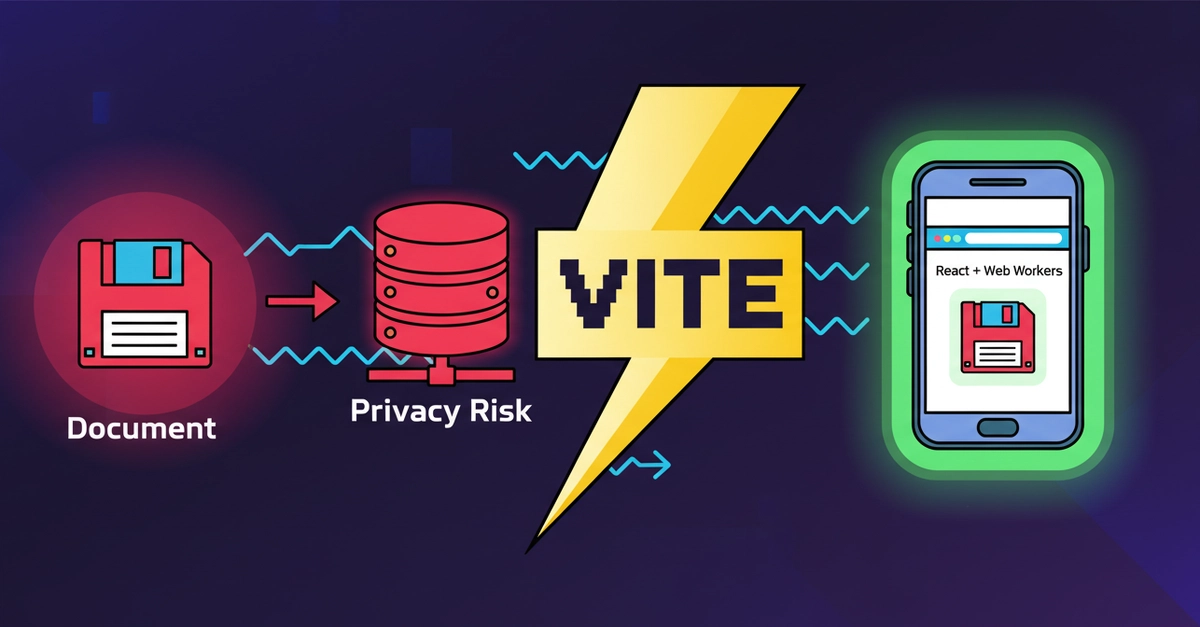
Look, if you’ve ever tried to upload a photo for a government job application in India, you know the pain. It’s not just about fitting the dimensions; it’s about pixel-perfect adherence to a set of rules that feel like they were designed by a committee that hates joy. Exactly 3.5cm x 4.5cm, under 50KB, white background, specific DPI… the list goes on. Historically, this meant feeding your most sensitive documents into a digital meat grinder on some shady website, hoping for the best. The author here, an IT student with a healthy dose of skepticism, saw this not just as an inconvenience but as a massive privacy risk. All those ‘free’ online resizers? Often they’re just elaborate data collection schemes. Your identity is the product, and frankly, I’m sick of being the product.
Privacy First, Servers Last
This is where PasteDocs really shines. The core architectural principle is Zero Data Exfiltration. Files don’t touch a server. Period. Instead of offloading the heavy lifting to expensive backend processing, it smartly pushes all the computation—scaling, compression, encoding—onto the user’s own device. We’re talking React, Vite, TypeScript, and the real workhorse here: Web Workers. They’re like little subprocesses that handle the grunt work in the background so your main browser tab doesn’t freeze up like a cheap suit in January. For anyone who’s juggled image resizing on a low-end phone, you know how quickly the browser can buckle. This approach sidesteps that entirely. It’s pure client-side muscle, and the engineering to make it smooth is genuinely impressive.
And when the original author says zero server costs, they mean it. This isn’t a “we’re using a free tier” situation. This is architected from the ground up to require no backend compute. It’s a stark contrast to the typical SaaS model where every click, every resize, every interaction is another billable minute on a server somewhere. Who is actually making money here? Not the user, that’s for sure. With PasteDocs, the developer is making money, presumably through goodwill and maybe future, non-intrusive revenue streams, while the user is saving money (no subscriptions) and gaining peace of mind.
“To comply with these unforgiving constraints, desperate applicants blindly upload highly sensitive personal telemetry—Aadhaar cards, PAN cards, Passports, High School Marksheets, and Signatures—to sketchy, ad-ridden online web resizers. What they don’t realize is that most of these free utilities act as server-side collection nodes.”
The Magic of Web Workers
So how do you crunch high-resolution images and hit tight file size limits without melting your phone’s CPU? Enter the Web Worker. The docWorker.ts file is where the real magic happens. It’s designed to run these intensive calculations asynchronously. The code snippet provided shows a recursive loop that keeps compressing and scaling the image, reducing the quality factor bit by bit (quality -= 0.05;) until it hits the target KB limit (like Compress to 50KB). This happens entirely in the background. No janky UI, no spinning wheel of death for minutes on end. It’s a smart way to use the browser’s capabilities without sacrificing user experience. My unique insight here? This mirrors the early days of desktop applications where you expected software to run locally. We’ve become so accustomed to the cloud that we forget the power of client-side processing, and PasteDocs is a refreshing reminder.
And it’s not just about squeezing files. The system is optimized for modern hardware. We’re talking smooth 60fps on low-end Androids (a demographic often left behind by sleek, demanding apps) and even local HEIC to JPG conversion for iPhones. That’s the kind of thoughtful, user-centric engineering that makes you sit up and take notice.
Who Benefits? (Besides the Developer)
Let’s be clear: the primary beneficiaries are the users. Anyone who’s ever grappled with these document formatting requirements gains a tool that respects their privacy and their processing power. For students preparing for exams, professionals dealing with official documents, or just everyday folks trying to navigate bureaucracy, PasteDocs offers a friction-free, secure alternative. The fact that it’s free from server costs is a massive bonus, making advanced functionality accessible to everyone, regardless of their budget.
This is more than just a tool; it’s a statement against the pervasive data collection that’s become the default. It’s a proof to what can be achieved with smart client-side architecture and a focus on user privacy. So, next time you’re staring down the barrel of a government document upload, you know where to turn. Your data stays with you.
🧬 Related Insights
- Read more: Clarity AI: Turning Your Grocery Bill into a Climate Scorecard
- Read more: Deno’s Hidden Open Source Gems [Beyond the Runtime]
Frequently Asked Questions
What does PasteDocs actually do? PasteDocs is a web application that allows users to resize, compress, and convert document images (like photos, signatures, and ID cards) to meet specific government or exam requirements, all processed locally on the user’s device without uploading any data to a server.
Is it safe to use PasteDocs with my sensitive documents? Yes, PasteDocs is designed with absolute privacy in mind. All processing happens within your browser’s local sandbox, meaning your sensitive documents never leave your device, significantly reducing the risk of data theft or exposure.
Will this tool work on my mobile phone? Yes, PasteDocs is engineered for modern OS optimization and is designed to run smoothly even on low-end Android devices, offering a 60fps experience. It also supports local HEIC to JPG conversion for iPhone users.