Look, nobody wants to spend an afternoon wrestling with package managers and configuration files. Especially not for a database. MongoDB, bless its BSON heart, isn’t exactly known for its minimalist setup. But Vultr’s latest guide offers a decidedly less painful way. It drops you straight into deploying MongoDB on Ubuntu 24.04 using Docker Compose. And frankly, it’s about time someone acknowledged the obvious: containers are king for this sort of thing.
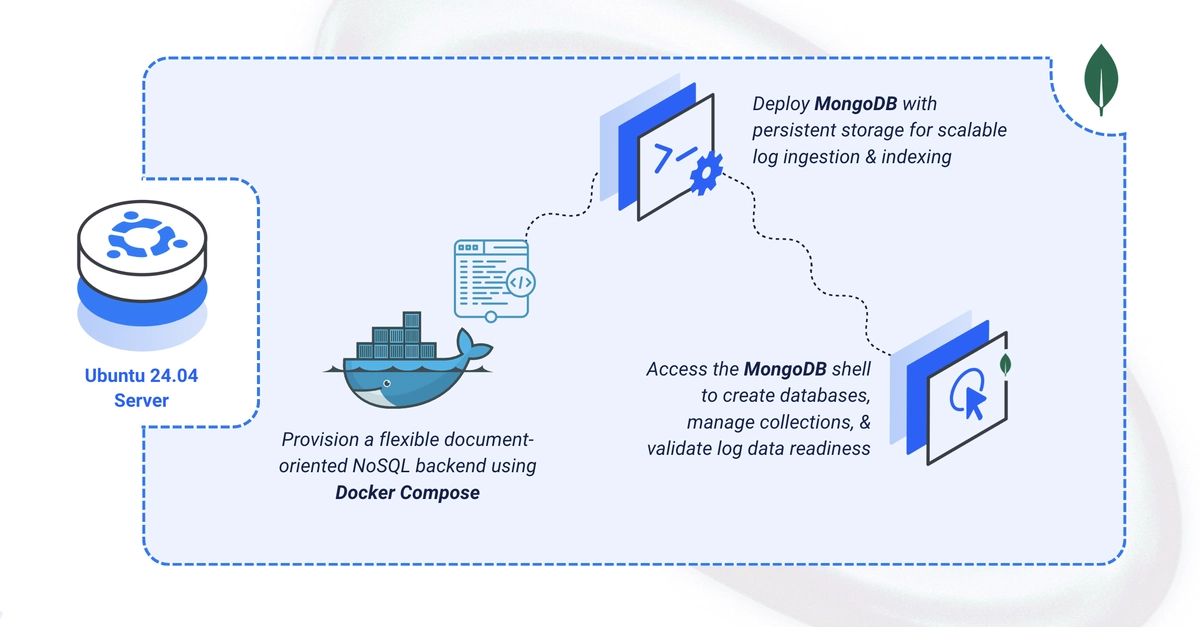
This isn’t some deep dive into sharding strategies or replica sets. This is about getting a working MongoDB instance up and running with minimal fuss. The core idea? Use Docker Compose to define your database service, hook up persistent storage so your data doesn’t vanish into the digital ether when the container restarts, and set up basic root authentication. Simple. Effective. Exactly what you need when you’re trying to get an application off the ground, not conduct a seminar on distributed systems.
It starts, as these things usually do, with creating a place to put your stuff. A simple mkdir and cd into ~/mongodb-logging/mongodb-data. Not exactly groundbreaking, but it’s the digital equivalent of putting on your apron before you start cooking. Then comes the .env file. This is where you stash your root credentials. MONGO_ROOT_USERNAME=admin and MONGO_ROOT_PASSWORD=changeme. Yes, changeme. The guide explicitly tells you to pick a strong password. Don’t be that person. Seriously, don’t. Your future self, or worse, some black-hat script kiddie, will thank you.
Next up, the <a href="/tag/docker-compose/">docker-compose</a>.yaml. This is the heart of the operation. It’s concise. It defines the mongodb service, pulls the mongo:latest image (because why reinvent the wheel?), maps the standard port, and crucially, sets up the persistent volume: ./mongodb-data:/data/db. This ensures your data lives outside the container, safe from the whims of Docker’s ephemeral nature. It also injects those environment variables for authentication. restart: unless-stopped is the cherry on top, meaning if your server reboots, MongoDB comes back online without you lifting a finger. It’s the automation we crave.
Starting it is a single command: docker compose up -d. The -d sends it to the background, freeing up your terminal for more important tasks, like scrolling through cat memes. Verifying it’s running? docker compose ps. Checking its vitals? docker compose logs. It’s all very… practical. No magic, just sensible commands.
But the real test, of course, is using it. The guide walks you through opening a mongosh shell inside the running container. This feels slightly like a parlor trick, but it’s effective. Connect with your hard-won credentials (hopefully not changeme), create a database (use logs), insert a document (db.application_logs.insertOne(...)), and then query it. Seeing your data appear is the moment of truth. It confirms that yes, this actually worked. And yes, your data is persistent. You even get to see show collections and exit as the triumphant conclusion to this phase. You’ve deployed.
Is This All There Is to MongoDB?
No, of course not. This is the bare minimum. The Vultr guide itself points out the next steps: creating application-specific users (stop using root for everything, please), enabling TLS for secure connections, and perhaps binding the port to 127.0.0.1 and slinging a VPN in front for actual remote access. This guide is the entry ramp, not the destination. But it’s a remarkably smooth entry ramp.
My own take? This Docker Compose approach isn’t just convenient for Vultr users. It’s the de facto standard for anyone serious about repeatable deployments. Anyone still manually installing databases on servers in 2024 is basically choosing to live in the Stone Age. This guide simply reflects reality. It’s a quick win, a confirmation that the old ways are, for the most part, dead.
Why Does This Matter for Developers?
It matters because speed matters. It matters because complexity kills productivity. If you can get a database running in under an hour, that’s an hour you’re not spending debugging an installation error. That’s an hour you can spend writing code. Or, you know, drinking coffee. The fact that this is achieved with readily available tools like Docker Compose, rather than some proprietary Vultr magic, is the real story. It’s about accessibility and efficiency, readily available to anyone with an Ubuntu server and a desire to get things done without unnecessary friction.
MongoDB is an open-source NoSQL document database that stores data as flexible BSON documents and scales horizontally through sharding. This guide deploys MongoDB using Docker Compose with persistent volume storage and a root user, then verifies it with the
mongoshshell.
The guide is light on historical context for a reason. We don’t need to reminisce about the days of ./configure && make && make install for every single service. The point is that Vultr has distilled a common task into a few clear steps. It’s a proof to the maturity of containerization that such a complex piece of software can be deployed with such relative ease. Now, if only they’d include a step on remembering your passwords.
🧬 Related Insights
- Read more: AI Hype vs. Reality: Fundamentals Reign Supreme in 2026
- Read more: Lattice vs. Hash Signatures: Who Wins Post-Quantum?
Frequently Asked Questions
What does this guide actually deploy? It deploys a single MongoDB instance using Docker Compose on Ubuntu 24.04, with persistent storage and root user authentication.
Is this the full production setup? No, this is a basic deployment. Production environments typically require additional configuration for security, replication, and scaling.