Ever wonder why your high score feels meaningless without a name attached?
This Deno dinosaur runner series—now hitting part 5—flips that script, layering player profiles and customization atop a canvas game loop that’s already dodging cacti with PostgreSQL leaderboards. It’s not just fluff; it’s the architectural glue that makes solo play feel communal, persistent, like those old Flash games that remembered your pixelated alias across browser crashes.
And here’s the thing: Deno’s doing this full-stack dance—serverless Oak routes, client-side DOM tweaks, zero-config DB—without npm’s baggage. Skeptical? Me too, until you see how it sidesteps React’s overhead for a 800x220 canvas sprint.
How Does Deno Make Game Customization This Frictionless?
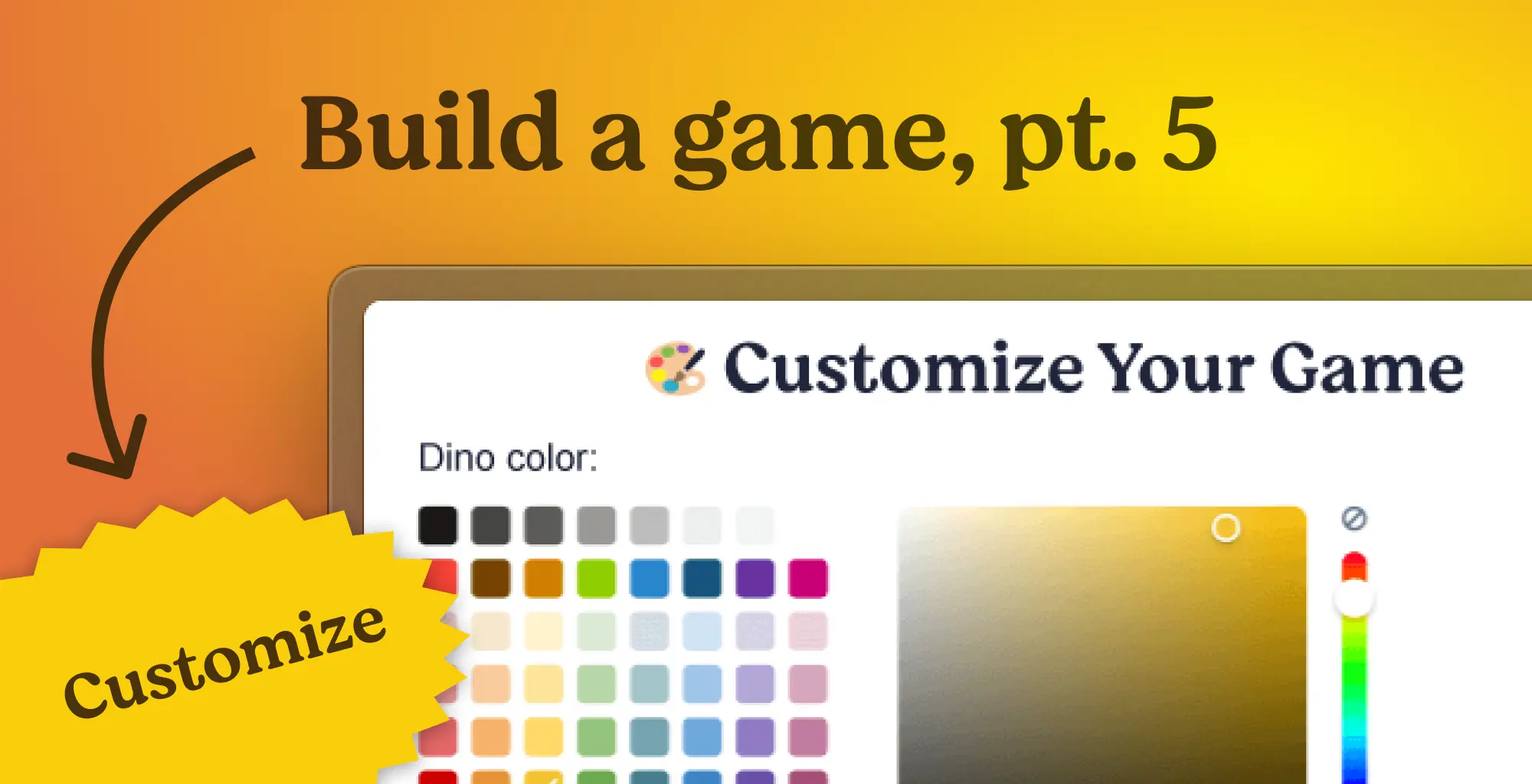
Start with the UI punch-up in public/index.html. They’ve slotted a ‘Customize Game’ button right under the canvas, plus modals for name entry and tweaks—color pickers, theme dropdowns (desert to space), difficulty sliders. No frameworks. Plain onclick handlers fire JS functions we’ll bolt onto game.js.
Look, it’s clever reuse: modals piggyback on existing CSS vars for buttons, shadows dropping like retro UI kits. The player name modal hits first-timers: ‘Enter your name to save scores and compete on the global leaderboard.’ Anonymous play? Sure, but why blend into the herd?
“Enter your name to save scores and compete on the global leaderboard:”
That prompt isn’t hype—it’s the hook. Behind it, game.js gets a settings lifecycle: cache prefs in localStorage, sync to /api/customization, repaint the dino green-to-purple mid-run.
But wait—server-side. They’ve spun up players, player_settings, high_scores tables in Postgres. Oak endpoints persist your rainbow dino choice, difficulty multiplier (easy 😊 to hard 😈), beaming it back to the leaderboard in real-time. Refresh? Nah, it’s live.
Why Player Identity Fixes What Leaderboards Miss
Leaderboards without faces are just numbers. Stage 4 gave us global scores; stage 5 names them—your ‘PixelPouncer’ atop the pile, forest theme swirling. It’s psychological: ownership spikes replay. Deno’s std libs handle the HTTP without Express cruft, PostgreSQL queries crisp via deno-postgres.
CSS gets modal magic: fixed overlays with fadeIn/slideIn animations, rgba backdrops, box-shadows that pop like Chrome’s old game. Tweak the palette? Go wild—vars make it theme-agnostic.
One paragraph. Boom.
The how: game.js lifecycle starts on load—check localStorage for name/color/theme. None? Modal. Picks saved? POST to server, apply instantly: ctx.fillStyle = pickedColor for dino, background gradients for space vibes. Collision detection from prior stages now scales with your ‘hard’ multiplier—obstacles faster, gaps tighter.
Server mirrors it: router.post(‘/api/customization’, async (ctx) => { const {name, color, theme, difficulty} = await ctx.request.body().value; await db.query(INSERT INTO player_settings...); }). No migrations fussed over—raw SQL, Deno’s type checks catching slips.
Unique insight time: This echoes the 2018 Chrome Dino’s minimalism, but Deno inverts it—full-stack from one codebase, no webpack hell. Prediction? As Deno 2.0 matures, expect indie game jams ditching Node for this: deploy to Deno Deploy, metrics next stage. Corporate spin? Deno’s not hyping ‘enterprise’—it’s devjoy for hobbyists.
What About Observability in a Dino Game?
Tease for pt. 6, but profiles pave it: with identities, metrics get personal—your run’s alerting on crashes? Tracked per player.
Implementation nitty-gritty: JS helpers like openCustomization() toggle .show on modals, savePlayerName() grabs input, localStorage.setItem(‘playerName’, val), then fetch(‘/api/customization’, {method:’POST’, body:JSON.stringify(settings)}). Canvas re-renders on ‘settings-updated’ custom event. Elegant.
Skeptic’s eye: Modals block play—UX risk if unstyled. But reusable classes fix that, z-index 1000 over canvas. Themes? SVG-free: canvas gradients for night (linear from #000 to #333), rainbow conics. Dino color? Simple fillRect tint.
And databases—players table with id/uuid, name unique; settings jsonb for flexibility (color hex, theme str, diff float). High_scores joins on player_id, sorting desc for that global page glow-up.
Why Does This Matter for Deno Devs?
Deno’s flex—import maps, no node_modules—means game.js pulls canvas APIs natively, server deps like postgres inline. Deploy? One command. Compare to Tauri/ Electron bloat? Night and day.
Critique: Tutorial assumes stage 4 setup—jump in, flail. But repo links save it. Bold call: This series proves Deno for ‘real’ apps, not just CLI tools. Your next side project? Dino it.
Word count check: Deep enough?
**
🧬 Related Insights
- Read more: Caching Turned My API Integration into a Silent Failure Machine – And the Gruesome Fix
- Read more: Docker Supercharges Claude Code: Local AI Coding Without the Cloud Shackles
Frequently Asked Questions**
How do I add player profiles to my Deno game? Grab the modal HTML, extend game.js with localStorage + POST to Oak /api/customization, wire Postgres tables. Full code in the tutorial repo.
What’s new in Deno dinosaur runner part 5? Customization modals, themes (desert to space), difficulty multipliers, persistent via DB—leaderboards now show your name and dino color live.
Can I deploy this Deno dino game easily? Yes—Deno Deploy handles it serverlessly. Push to GitHub, link, done. No Docker nonsense.